

Project Setup

Environment Configuration

Game files are stored in an environments directory. The default is environment_files in the project root. You can configure this in your .env file:
environments_dir = my_environments
Or specify it directly when initializing the client:
arc = arc_agi.Arcade(environments_dir="./my_environments")

Directory Structure

The environments follow this directory structure:
ARC-AGI/
└── environment_files/
    └── ls20/
        └── v1/
            ├── ls20.py           # Main game file
            └── metadata.json     # Game metadata

Creating a New Version

Copy your existing version folder to create a new version:
cp -r environment_files/ls20/v1 environment_files/ls20/v2
Your directory now looks like this:
ARC-AGI/
└── environment_files/
    └── ls20/
        ├── v1/
        │   ├── ls20.py
        │   └── metadata.json
        └── v2/                   # your new version
            ├── ls20.py
            └── metadata.json
Then update metadata.json with the new version (more info):
{
  "game_id": "ls20-v2",
  "default_fps": 5,
  "local_dir": "environment_files\\ls20\\v2"
}
Test the new version:
import arc_agi

arc = arc_agi.Arcade()
env = arc.make("ls20-v2", render_mode="terminal")

Editing the Game File

The main game logic resides in game-id.py. This file contains:
NameTypeDescription
spritesdict[str, Sprite]Sprite templates with pixel arrays and properties
levelslist[Level]Level objects with sprite placements and configuration
GameIdclass(ARCBaseGame)Game class implementing gameplay mechanics and logic
# Typical structure of game-id.py

from arcengine import ARCBaseGame, Camera, GameAction, Level, Sprite

# Sprite definitions
sprites = {
    "sprite-1": Sprite(pixels=[...], name="sprite-1", ...),
    "sprite-2": Sprite(pixels=[...], name="sprite-2", ...),
    # ...
}

# Level definitions
levels = [
    Level(sprites=[sprites["sprite-1"].clone().set_position(0, 0)...], grid_size=(64, 64), data={...}),
    Level(sprites=[sprites["sprite-2"].clone().set_position(0, 0)...], grid_size=(64, 64), data={...}),
    # ...
]

# Game class
class Game-id(ARCBaseGame):
    def __init__(self) -> None:
        # Initialize camera, UI, game state
        ...
    
    def on_set_level(self, level: Level) -> None:
        # Called when a level loads - setup level-specific state
        ...
    
    def step(self) -> None:
        # Main game logic - handle actions, collisions, win/lose conditions
        ...
        self.complete_action()

Editing Existing Sprites

Modifying Sprite Pixels

To change an existing sprite’s appearance, edit its pixel array directly in the sprites dictionary: This sprite in ls20.py now uses colors 8 and 10 instead of 9 and 12.
sprites = {
    "pca": Sprite(
        pixels=[
            [10, 10, 10, 10, 10],
            [10, 10, 10, 10, 10],
            [8, 8, 8, 8, 8],
            [8, 8, 8, 8, 8],
            [8, 8, 8, 8, 8],
        ],
        name="pca",
        visible=True,
        collidable=True,
        tags=["caf"],
    ),
}
ARCEngine uses a 16-color palette (0-15) plus -1 for transparent and -2 for transparent and collidable.

Editing Sprites in Level Definitions

When sprites are placed in levels, you can modify them inline:
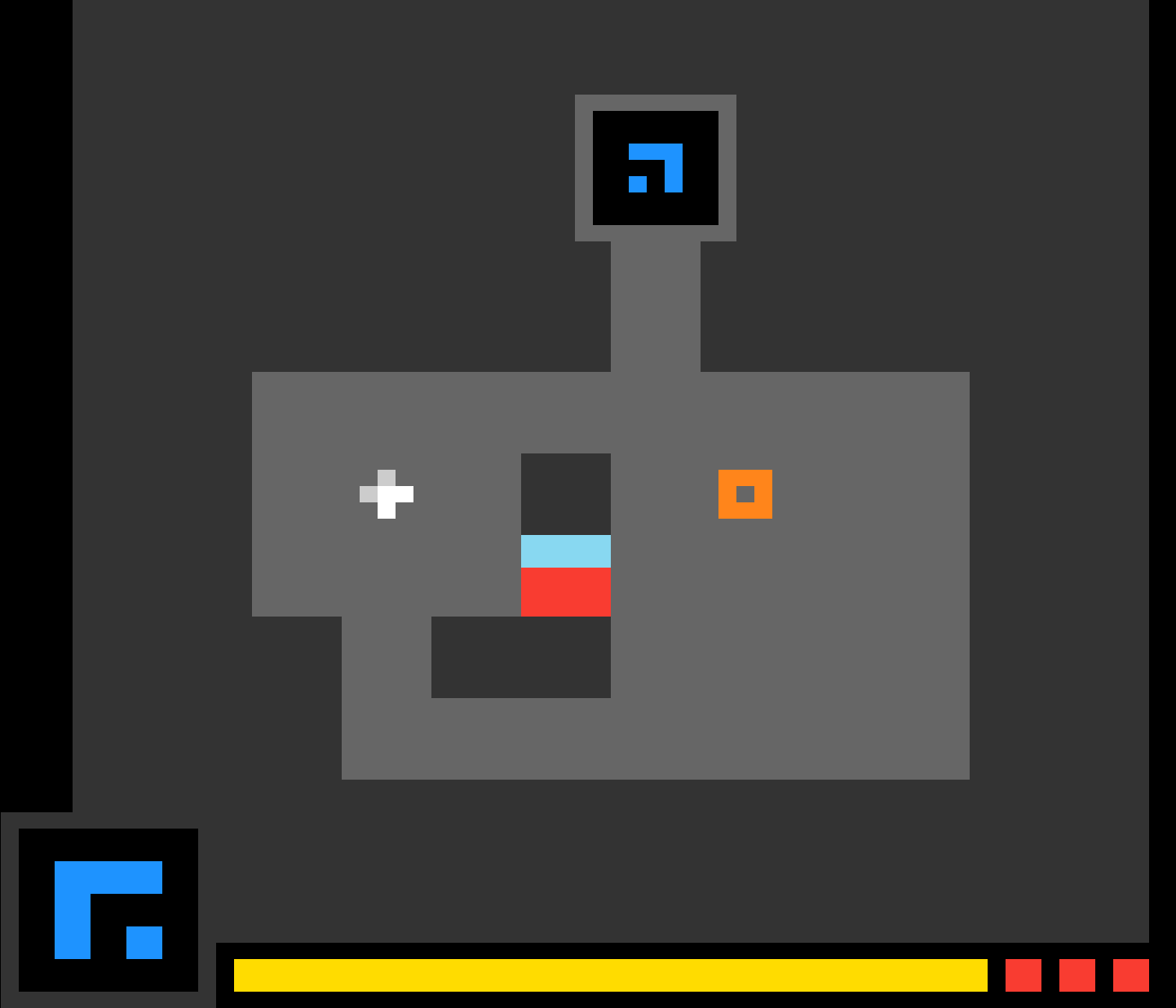
Level(
    sprites=[
        # Edit position
        sprites["pca"].clone().set_position(29, 35),
        
        # Edit colors
        sprites["zba"].clone().set_position(15, 16).color_remap(None, 12),
        
        # Edit rotation
        sprites["kdy"].clone().set_position(49, 45).set_rotation(90),
    ],
    # ...
)
This is now the new version of ls20 level 1:
level variant

Additional Information

Level Data

The data dictionary stores level-specific configuration. This will vary for every game.
data={
    "Amount": 30,
    "Values": [5, 0, 2],
    "level_flag": False
    "names": ["name-1", "name-2"],
}
level data is accessed in the game class:
self.amount = self.current_level.get_data("Amount")
self.flag = self.current_level.get_data("level_flag")

Other Techniques

Dynamic Sprite Addition/Removal

# Add sprite during gameplay
new_sprite = sprites["sprite-name"].clone().set_position(x, y)
self.current_level.add_sprite(new_sprite)

# Remove sprite
self.current_level.remove_sprite(some_sprite)

Querying Sprites

# Get sprites by tag
players = self.current_level.get_sprites_by_tag("Player")

# Get sprite at position
sprite = self.current_level.get_sprite_at(x, y)

# Get sprites by name
ABC_sprites = self.current_level.get_sprites_by_name("ABC")

Animation Pattern

For multi-frame effects, delay complete_action():
def step(self) -> None:
    if self.animating:
        self.animation_frame += 1
        if self.animation_frame >= self.animation_length:
            self.animating = False
            self.complete_action()
        return  # Don't complete action yet
    
    # Normal game logic...
    self.complete_action() 
Note the game loop keeps calling step() until complete_action() is called.

Further Reading

For more detailed information refer to the ARC Engine.